 Skip to content

What is IPTV Internet Speed and Why Does It Matter?
In the world of IPTV (Internet Protocol Television), understanding IPTV internet speed is crucial for an optimal viewing experience. IPTV delivers television content over the internet, allowing users to stream live TV, movies, and on-demand content. However, the quality of this streaming experience heavily relies on the internet speed for IPTV.

Defining IPTV and Its Streaming Requirements
IPTV operates by transmitting video content through internet protocols rather than traditional satellite or cable formats. This method requires a stable and fast internet connection to ensure seamless streaming. The basic requirements for IPTV include:
- Minimum Internet Speed: Generally, a minimum speed of 10 Mbps is recommended for standard definition (SD) content, while 25 Mbps or higher is ideal for high definition (HD) streaming.
- IPTV Bandwidth: Bandwidth refers to the amount of data that can be transmitted over your internet connection in a given time. For IPTV, sufficient bandwidth is essential to prevent buffering and interruptions.
- IPTV Verbindung: This term refers to the connection quality between your device and the IPTV service. A strong and stable connection is necessary to maintain a high-quality viewing experience.
The Importance of Internet Speed for IPTV Performance
The importance of internet speed for IPTV performance cannot be overstated. Here are several reasons why having the right internet speed is vital:
- Quality of Streaming: Higher internet speeds allow for better video quality. With speeds of 25 Mbps or more, users can enjoy HD and even 4K content without interruptions.
- Buffering Issues: Insufficient internet speed can lead to buffering, which disrupts the viewing experience. A stable connection minimizes these interruptions.
- Multiple Users: If multiple devices are connected to the same network, higher speeds ensure that everyone can stream content simultaneously without degrading performance.
To summarize, ensuring that you have adequate IPTV internet speed is essential for a satisfying viewing experience. Here’s a quick reference table for recommended speeds based on content quality:
| Content Quality | Recommended Speed |
|---|---|
| Standard Definition (SD) | 10 Mbps |
| High Definition (HD) | 25 Mbps |
| 4K Ultra HD | 50 Mbps or higher |
In conclusion, investing in a reliable internet connection is key to enjoying IPTV services. For more information on IPTV plans and installation, check out our IPTV plans and installation guide. If you have any questions or need assistance, feel free to reach out via WhatsApp.
By understanding the relationship between IPTV internet speed and performance, you can make informed decisions to enhance your streaming experience. For more insights on IPTV applications, visit our Smart IPTV app page and explore our IPTV list.
Recommended Internet Speeds for IPTV Streaming
When it comes to enjoying a seamless IPTV experience, understanding the recommended internet speeds for IPTV streaming is crucial. The quality of your viewing experience largely depends on the iptv internet speed you have. Whether you are streaming in standard definition (SD), high definition (HD), or ultra-high definition (UHD), each quality level requires different bandwidth capabilities.
Minimum and Recommended Speeds for Different Streaming Qualities
To ensure a smooth streaming experience, here are the minimum and recommended speeds for various streaming qualities:
| Streaming Quality | Minimum Speed (Mbps) | Recommended Speed (Mbps) |
|---|---|---|
| Standard Definition (SD) | 3 Mbps | 5 Mbps |
| High Definition (HD) | 5 Mbps | 10 Mbps |
| Ultra High Definition (UHD) | 25 Mbps | 50 Mbps |
- Standard Definition (SD): For basic viewing, a minimum of 3 Mbps is required. However, to avoid buffering, a speed of 5 Mbps is recommended.
- High Definition (HD): To enjoy HD content without interruptions, aim for at least 10 Mbps. This ensures a clear picture and smooth playback.
- Ultra High Definition (UHD): UHD streaming demands the highest bandwidth. A minimum of 25 Mbps is necessary, but 50 Mbps is ideal for optimal performance.
These speeds are essential for a reliable iptv verbindung. If your internet connection falls below these thresholds, you may experience buffering, pixelation, or even complete interruptions in service.
How IPTV Bandwidth Affects Your Viewing Experience
The iptv bandwidth you have directly influences your overall viewing experience. Here’s how:
- Buffering Issues: Insufficient bandwidth can lead to frequent buffering, which disrupts your viewing pleasure. This is particularly frustrating during live events or when binge-watching your favorite series.
- Picture Quality: Higher bandwidth allows for better picture quality. If your connection is slow, you may be forced to watch in lower resolutions, which diminishes the viewing experience.
- Multiple Streams: If you have multiple devices streaming simultaneously, you will need higher bandwidth. For instance, if one person is watching UHD content while another is streaming HD, a connection of at least 50 Mbps is advisable to accommodate both streams without issues.
In conclusion, ensuring you have the right internet speed for IPTV is vital for an enjoyable streaming experience. If you’re looking to enhance your IPTV setup, consider checking out the Smart IPTV app for optimized performance. For a comprehensive list of channels, visit our IPTV list. If you need assistance with installation, our installation guide is available to help you get started.
For personalized support, feel free to reach out via WhatsApp. Remember, investing in the right iptv internet speed can significantly enhance your viewing experience, making it more enjoyable and hassle-free.
Factors Influencing IPTV Internet Speed
When it comes to IPTV internet speed, several factors play a crucial role in determining the quality of your streaming experience. Understanding these factors can help you optimize your setup for the best performance. Here, we will explore two significant aspects: network stability and device compatibility.
Network Stability and Its Impact on Streaming Quality
Network stability is one of the most critical factors affecting internet speed for IPTV. A stable connection ensures that data packets are transmitted smoothly without interruptions, which is essential for streaming high-definition content. Here are some key points to consider:
- Latency: High latency can lead to buffering and lag, disrupting your viewing experience. Aim for a latency of less than 100 ms for optimal performance.
- Packet Loss: If your network experiences packet loss, it can result in pixelation and stuttering during playback. Regularly check your connection for any issues.
- Bandwidth: The amount of bandwidth available directly influences your IPTV experience. For standard definition (SD) streaming, a minimum of 3 Mbps is recommended, while high definition (HD) requires at least 5-10 Mbps. For 4K streaming, you should aim for 25 Mbps or higher.
To ensure a stable connection, consider using a wired Ethernet connection instead of Wi-Fi, as it typically offers lower latency and higher reliability. Additionally, you can monitor your IPTV bandwidth usage to ensure you are not exceeding your limits, which can lead to throttling by your Internet Service Provider (ISP).
Device Compatibility: Ensuring Optimal Performance
Device compatibility is another essential factor that influences IPTV internet speed. Not all devices are created equal, and some may not support the necessary protocols or bandwidth requirements for smooth streaming. Here are some considerations:
- Supported Formats: Ensure that your device supports the video formats used by your IPTV service. Most modern devices should handle common formats, but older models may struggle.
- Processor Speed: Devices with faster processors can decode video streams more efficiently, reducing buffering times. Check the specifications of your device to ensure it meets the recommended requirements.
- Memory: Sufficient RAM is necessary for smooth operation. Devices with limited memory may experience slowdowns, especially when running multiple applications.
To enhance your IPTV experience, consider using devices specifically designed for streaming, such as smart TVs, streaming boxes, or dedicated IPTV apps like the one available at Smart IPTV App. These devices are optimized for performance and can significantly improve your streaming quality.
In conclusion, both network stability and device compatibility are vital for achieving optimal IPTV internet speed. By addressing these factors, you can enhance your streaming experience and enjoy uninterrupted access to your favorite content. For more information on IPTV plans and installation guides, visit Smart IPTV Plans and Installation Guide. If you have any questions or need assistance, feel free to reach out via WhatsApp.
Tips to Improve Your IPTV Internet Speed
When it comes to enjoying a seamless IPTV experience, internet speed for IPTV is crucial. Slow connections can lead to buffering, pixelation, and an overall frustrating viewing experience. To enhance your IPTV performance, consider the following tips that focus on optimizing your internet connection and settings.
Wired vs. Wireless Connections: Which is Better for IPTV?
One of the first decisions to make when setting up your IPTV service is whether to use a wired or wireless connection. Each option has its pros and cons, but for IPTV, a wired connection often provides superior performance. Here’s why:
- Stability: Wired connections, such as Ethernet, offer a more stable and consistent IPTV bandwidth. This stability is essential for streaming high-definition content without interruptions.
- Speed: Ethernet connections typically support higher speeds than most wireless connections. This is particularly important if multiple devices are connected to the same network.
- Interference: Wireless signals can be affected by physical barriers and electronic interference, which can degrade your IPTV experience. A wired connection eliminates these issues.
However, if a wired connection is not feasible, you can still optimize your wireless setup:
- Router Placement: Position your router in a central location to maximize coverage.
- Dual-Band Routers: Use a dual-band router to separate devices on the 2.4 GHz and 5 GHz bands, reducing congestion.
- Limit Devices: Disconnect devices that are not in use to free up bandwidth for your IPTV streaming.
Adjusting Router Settings for Enhanced IPTV Performance
To further improve your IPTV internet speed, adjusting your router settings can make a significant difference. Here are some key adjustments to consider:
- Quality of Service (QoS): Enable QoS settings on your router to prioritize IPTV traffic. This ensures that your streaming service receives the necessary bandwidth, even when other devices are using the internet.
- Firmware Updates: Regularly check for and install firmware updates for your router. Updated firmware can enhance performance and security, which is vital for a smooth IPTV experience.
- Channel Selection: If you are using a wireless connection, manually select a less congested channel. Tools like Wi-Fi analyzers can help identify the best channel for your network.
- MTU Settings: Adjusting the Maximum Transmission Unit (MTU) settings can optimize data packets for IPTV streaming. A common MTU size for IPTV is 1500 bytes, but you may need to experiment to find the best setting for your network.
- IPTV Verbindungen: Ensure that your IPTV connections are optimized. This may involve configuring your device settings or using specific apps designed for IPTV, such as the Smart IPTV app.
By implementing these tips, you can significantly enhance your IPTV internet speed, leading to a more enjoyable viewing experience. For more information on IPTV services and plans, check out our plans page or explore our installation guide. If you have any questions or need assistance, feel free to reach out via WhatsApp.
In conclusion, optimizing your internet connection for IPTV involves a combination of choosing the right connection type and fine-tuning your router settings. By following these tips, you can ensure a smooth and enjoyable streaming experience.
Troubleshooting Common IPTV Speed Issues
When it comes to enjoying a seamless IPTV experience, internet speed for IPTV is crucial. Slow connections can lead to frustrating buffering and latency problems, which can significantly detract from your viewing pleasure. Understanding how to troubleshoot these common issues can help you optimize your IPTV experience and ensure that you are getting the most out of your subscription.
Identifying Buffering and Latency Problems
Buffering is one of the most common issues faced by IPTV users. It occurs when the video stream cannot keep up with the playback, causing interruptions. Here are some signs that you may be experiencing buffering issues:
- Frequent pauses during playback
- Low-quality video resolution
- Error messages indicating a poor connection
Latency, on the other hand, refers to the delay between your action (like clicking to play a video) and the response (the video starting). High latency can lead to a sluggish experience, making it difficult to navigate through channels or content.
To identify these problems, consider the following:
- Check your IPTV bandwidth: Ensure that your internet connection meets the recommended speeds for IPTV. Most services suggest a minimum of 10 Mbps for standard definition and 25 Mbps for high definition.
- Monitor your connection: Use tools like speed tests to measure your current internet speed. If your speed is significantly lower than expected, it may indicate a problem with your IPTV verbindung (connection).
- Evaluate your network: Look for other devices on your network that may be consuming bandwidth, such as streaming services, downloads, or online gaming.
Steps to Test Your Internet Speed for IPTV
Testing your internet speed is a straightforward process that can help you diagnose issues affecting your IPTV experience. Follow these steps to ensure your connection is optimized:
- Disconnect other devices: Temporarily disconnect other devices from your network to ensure they are not consuming bandwidth.
- Use a wired connection: If possible, connect your device directly to the router using an Ethernet cable. This can provide a more stable connection compared to Wi-Fi.
- Run a speed test: Use a reliable speed test website or app to measure your internet speed. Look for both download and upload speeds, as both can affect your IPTV performance. Aim for a download speed of at least 25 Mbps for HD streaming.
- Check for packet loss: Some speed test tools also measure packet loss, which can indicate issues with your connection. Ideally, you want 0% packet loss for a smooth IPTV experience.
- Test at different times: Internet speeds can fluctuate throughout the day. Test your speed during peak and off-peak hours to get a comprehensive view of your connection.
If you find that your internet speed is consistently below the recommended levels, consider contacting your internet service provider (ISP) to discuss options for upgrading your plan or troubleshooting your connection.
For more information on optimizing your IPTV experience, check out our Smart IPTV app and explore our IPTV plans. If you need assistance with installation, our installation guide can help you set up your service correctly.
By following these troubleshooting steps and understanding the importance of internet speed for IPTV, you can enhance your viewing experience and enjoy uninterrupted streaming.
Frequently Asked Questions About IPTV Internet Speed
When it comes to enjoying a seamless IPTV experience, understanding IPTV internet speed is crucial. Many users often wonder about the specific requirements and how to enhance their streaming quality. Below, we address some of the most frequently asked questions regarding IPTV internet speed, ensuring you have all the information you need for optimal viewing.
What Internet Speed Do I Need for IPTV?
To enjoy IPTV without interruptions, the internet speed for IPTV is a key factor. Generally, the recommended speeds vary based on the quality of the content you wish to stream:
- Standard Definition (SD): A minimum of 3 Mbps is required.
- High Definition (HD): For HD content, you should aim for at least 5-10 Mbps.
- Ultra High Definition (4K): Streaming in 4K requires a robust connection of 25 Mbps or higher.
These speeds ensure that your IPTV bandwidth can handle the data flow without buffering or lagging. It’s important to note that these are minimum requirements; having a higher speed can significantly enhance your viewing experience, especially if multiple devices are connected to the same network.
How Can I Improve My IPTV Streaming Quality?
Improving your IPTV streaming quality involves several strategies that can enhance your IPTV verbindung. Here are some effective tips:
- Upgrade Your Internet Plan: If you find that your current speed is insufficient, consider upgrading to a higher bandwidth plan. This is especially important if you have multiple users streaming simultaneously.
- Use Wired Connections: Whenever possible, connect your streaming device directly to the router using an Ethernet cable. Wired connections typically offer more stable speeds compared to Wi-Fi.
- Optimize Your Wi-Fi Network:
- Place your router in a central location to ensure even coverage.
- Limit the number of devices connected to your network during streaming.
- Use a dual-band router to separate devices on the 2.4 GHz and 5 GHz bands.
- Reduce Background Usage: Close any applications or devices that may be consuming bandwidth while you are streaming. This includes downloads, online gaming, or other streaming services.
- Check for Interference: Other electronic devices can interfere with your Wi-Fi signal. Keep your router away from microwaves, cordless phones, and other potential sources of interference.
- Regularly Test Your Speed: Use online speed tests to monitor your internet speed. This can help you identify any fluctuations that may affect your streaming quality.
By following these tips, you can significantly enhance your IPTV experience, ensuring smooth and uninterrupted viewing. For more information on IPTV services and plans, check out our IPTV plans or explore the Smart IPTV app for a better streaming experience.
In conclusion, understanding the IPTV internet speed requirements and implementing strategies to improve your connection can lead to a much more enjoyable streaming experience. If you have further questions or need assistance, feel free to reach out via WhatsApp or consult our installation guide for detailed support.
Why Choose Smart IPTV De for Your Streaming Needs?
When it comes to selecting the right IPTV service, Smart IPTV De stands out for several compelling reasons. With a focus on delivering an exceptional streaming experience, this service caters to a wide range of viewing preferences and needs. One of the most critical factors to consider when choosing an IPTV provider is the internet speed for IPTV. A reliable connection is essential for seamless streaming, and Smart IPTV De ensures that you have access to the necessary bandwidth to enjoy your favorite content without interruptions.
Access to Over 36,000 Channels and 220,000 Movies
Smart IPTV De offers an impressive library of over 36,000 channels and 220,000 movies, making it one of the most extensive IPTV services available. This vast selection means that you can find everything from live sports to classic films, catering to all tastes and preferences.
To fully enjoy this extensive content library, it’s crucial to have adequate IPTV bandwidth. The recommended internet speed for IPTV typically ranges from 10 Mbps to 25 Mbps for standard definition, while high definition may require speeds of 25 Mbps or more. Here’s a quick breakdown of the recommended speeds:
| Quality | Recommended Speed |
|---|---|
| Standard Definition | 10-15 Mbps |
| High Definition | 25 Mbps or more |
| 4K Ultra HD | 50 Mbps or more |
With Smart IPTV De, you can rest assured that their service is optimized for various internet speeds, ensuring that you can enjoy your favorite shows and movies without buffering or lagging. This is particularly important for users with varying IPTV verbindung quality, as Smart IPTV De adapts to your connection to provide the best possible viewing experience.
Competitive Pricing and Exceptional Customer Support
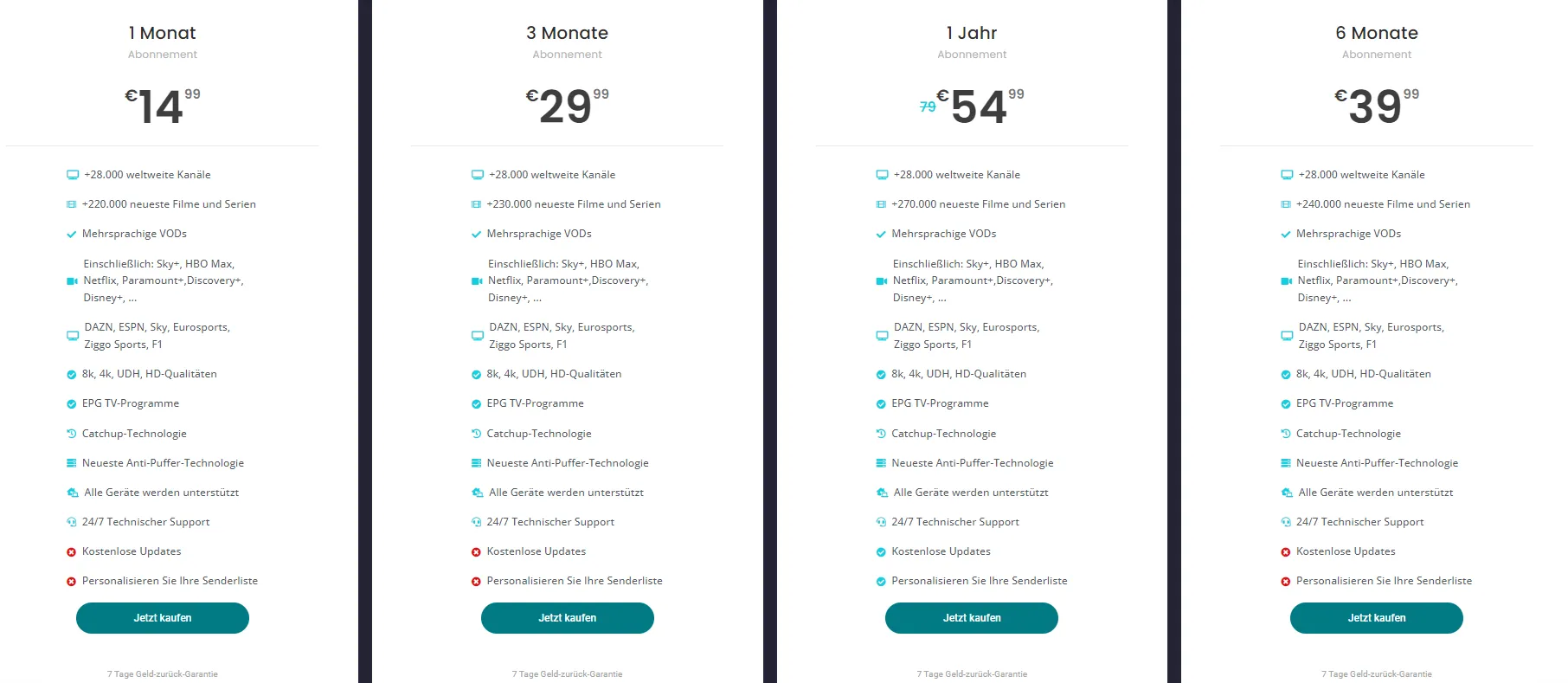
In addition to its extensive content offerings, Smart IPTV De is known for its competitive pricing. The service provides various plans that cater to different budgets, ensuring that everyone can find a suitable option. You can explore the available plans here.
Moreover, Smart IPTV De prides itself on delivering exceptional customer support. Whether you have questions about installation or need assistance with troubleshooting, their dedicated support team is available to help. You can reach out to them directly via WhatsApp for quick assistance.
In conclusion, choosing Smart IPTV De for your streaming needs means gaining access to a vast array of channels and movies, all while enjoying competitive pricing and top-notch customer support. With the right internet speed for IPTV, you can unlock the full potential of this service and enjoy a seamless viewing experience. For more information on how to get started, check out the Smart IPTV app and the installation guide.
Conclusion: Ensuring the Best IPTV Experience
In the world of IPTV, ensuring a seamless viewing experience hinges significantly on understanding IPTV internet speed. As we wrap up our discussion, it’s essential to recap the key points regarding the internet speed for IPTV and how it impacts your overall enjoyment of streaming services.
Recap of Key Points on IPTV Internet Speed
- Minimum Speed Requirements: For a satisfactory IPTV experience, a minimum internet speed of 10 Mbps is generally recommended for standard definition (SD) content. For high definition (HD) streaming, this requirement increases to 25 Mbps or more. This ensures that your IPTV bandwidth can handle multiple streams without buffering.
- Impact of Bandwidth: The IPTV bandwidth you have directly affects the quality of your viewing experience. Insufficient bandwidth can lead to interruptions, pixelation, and buffering, which can be frustrating. It’s crucial to assess your household’s total bandwidth usage, especially if multiple devices are streaming simultaneously.
- Connection Stability: A stable IPTV verbindung is vital. Fluctuations in speed can disrupt your viewing experience. Using a wired connection instead of Wi-Fi can often provide a more reliable connection, reducing the chances of interruptions.
- Testing Your Speed: Regularly testing your internet speed can help you ensure that you are getting the service you pay for. Tools like speed test websites can provide insights into your current speeds and help you troubleshoot any issues.
- Choosing the Right Provider: Not all IPTV services are created equal. Selecting a provider that offers robust support and high-quality streams is essential. For instance, Smart IPTV provides a variety of plans tailored to different needs, ensuring you have access to the best content without interruptions.
Call to Action: Subscribe Now for Unlimited Entertainment
Now that you understand the importance of IPTV internet speed, it’s time to take action. Don’t let slow speeds ruin your entertainment experience. Subscribe now to a reliable IPTV service that guarantees high-quality streaming and unlimited access to your favorite channels.
- Explore Plans: Check out the various plans available to find one that suits your needs.
- Download the App: Get started by downloading the Smart IPTV app for easy access to your channels.
- Installation Guide: Need help setting up? Follow the installation guide for a smooth start.
In conclusion, ensuring the best IPTV experience is all about understanding and optimizing your internet speed for IPTV. With the right bandwidth and a stable connection, you can enjoy uninterrupted entertainment. Don’t wait—contact us today to elevate your viewing experience!
