 Skip to content

Understanding IPTV Playlist URLs
What is an IPTV Playlist URL?
An IPTV playlist URL is a web address that provides access to a collection of streaming media channels. These URLs are typically formatted in M3U, a widely used playlist format that allows users to stream live television and on-demand content over the internet. The M3U format is simple yet powerful, enabling users to access a variety of channels from different sources through a single link.

When you encounter an IPTV link playlist, it usually contains a list of channels, each associated with a specific streaming URL. This allows IPTV applications to fetch and display content seamlessly. The structure of an IPTV playlist URL often looks like this:
“`
EXTM3U
EXTINF:-1, Channel Name
http://example.com/stream-url “`
In this example, the #EXTM3U tag indicates the start of the playlist, while #EXTINF provides metadata about the channel, such as its name. The actual streaming link follows, allowing users to access the content directly.
Importance of IPTV Playlist URLs in Streaming
The significance of IPTV playlist URLs in streaming cannot be overstated. They serve as the backbone of IPTV services, enabling users to enjoy a wide range of content without the need for traditional cable subscriptions. Here are some key reasons why these URLs are essential:
- Accessibility: IPTV playlist URLs allow users to access channels from anywhere in the world, provided they have an internet connection. This flexibility is a major advantage over conventional broadcasting methods.
- Variety of Content: With a single M3U URL IPTV, users can access numerous channels, including international broadcasts, niche content, and on-demand services. This variety enhances the viewing experience and caters to diverse preferences.
- Cost-Effectiveness: Many IPTV services offer affordable subscription plans compared to traditional cable packages. Users can often find free or low-cost IPTV link playlists that provide quality content without breaking the bank.
- User-Friendly: Most IPTV applications, such as the Smart IPTV app, are designed to be user-friendly. Users can easily input their IPTV playlist URLs and start streaming in just a few clicks.
- Customization: Users can create personalized playlists by combining different IPTV playlist formats. This customization allows for a tailored viewing experience, where users can prioritize their favorite channels.
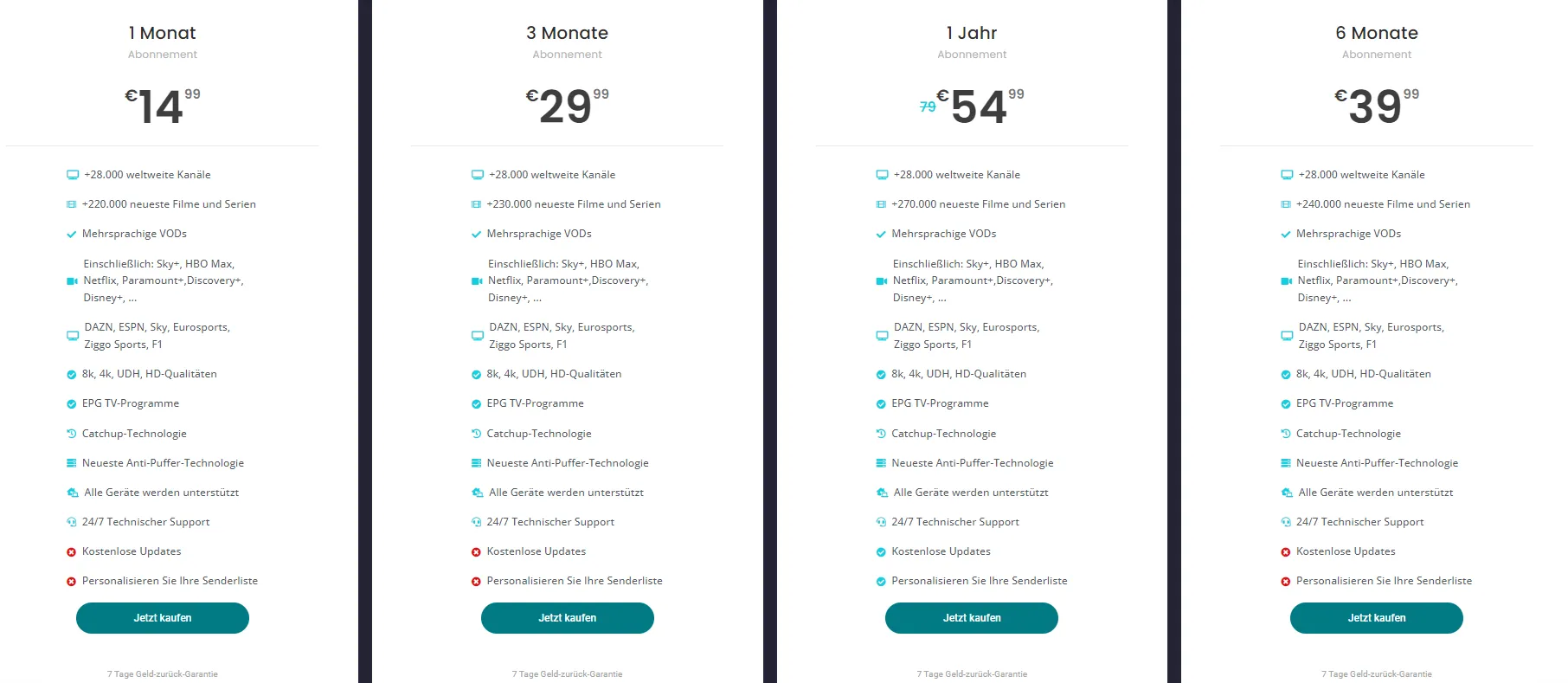
In conclusion, understanding IPTV playlist URLs is crucial for anyone looking to explore the world of internet-based television. These URLs not only provide access to a vast array of content but also enhance the overall streaming experience. For more information on IPTV services and playlists, check out the IPTV list and explore various subscription plans available. If you need assistance with installation, visit the installation guide for step-by-step instructions.
By leveraging the power of IPTV playlist URLs, users can enjoy a modern, flexible, and cost-effective way to consume media.
How to Find Reliable IPTV Playlist URLs
Finding reliable IPTV playlist URLs is essential for anyone looking to enjoy a seamless streaming experience. With the rise of Internet Protocol Television (IPTV), users are often on the lookout for m3u URL IPTV links that provide access to a variety of channels. However, not all sources are trustworthy, and it’s crucial to know where to look. Below, we explore various methods to find both free and subscription-based IPTV link playlists.
Sources for Free IPTV Playlist URLs
When searching for free IPTV playlist URLs, it’s important to tread carefully. While there are many sources available, not all of them are reliable or legal. Here are some reputable options to consider:
- Online Forums and Communities: Websites like Reddit and specialized IPTV forums often have threads dedicated to sharing free IPTV link playlists. Users frequently update these lists, making them a good source for the latest links.
- Social Media Groups: Platforms like Facebook and Telegram host groups where members share free IPTV playlists. Always check the credibility of the group and the links shared.
- Dedicated Websites: Some websites curate lists of free IPTV playlists. For example, sites like Smart IPTV provide updated playlists that are user-tested. However, ensure you verify the legality of the content before streaming.
- YouTube Channels: Certain YouTube channels focus on IPTV and may share free playlists in their video descriptions. Look for channels with a good reputation and positive feedback from viewers.
Subscription-Based IPTV Link Playlists
For those seeking a more reliable and extensive viewing experience, subscription-based IPTV services are the way to go. These services often provide m3u URL IPTV links that are regularly updated and maintained. Here’s what to consider:
- Reputable IPTV Providers: Look for well-reviewed IPTV providers that offer subscription plans. These services typically provide a stable connection and a wide range of channels. Check out Smart IPTV’s plans for various options.
- Trial Periods: Many subscription services offer trial periods. This allows you to test the service and its IPTV playlist format before committing to a full subscription. Take advantage of these trials to find the best fit for your needs.
- Customer Support: A good IPTV provider should have responsive customer support. This is crucial if you encounter issues with your IPTV link playlist. Services like Smart IPTV offer installation guides and support to help you get started (installation guide).
- User Reviews and Ratings: Before subscribing, read user reviews and ratings. This can provide insight into the reliability and quality of the service. Look for feedback on channel availability, streaming quality, and customer service.
In conclusion, finding reliable IPTV playlist URLs requires a mix of research and caution. Whether you opt for free sources or a subscription-based service, always prioritize legality and reliability. For more information on IPTV services, feel free to reach out via WhatsApp. By following these guidelines, you can enhance your streaming experience and enjoy a wide array of channels without interruptions.
Using IPTV Playlist URLs on Various Devices
IPTV (Internet Protocol Television) has revolutionized how we consume media, allowing users to stream content directly over the internet. One of the key components of this technology is the IPTV playlist URL, which serves as a gateway to a vast array of channels and on-demand content. Understanding how to use these URLs across various devices can enhance your viewing experience significantly. Below, we will explore how to set up IPTV on Smart TVs and access it on Android devices, ensuring you can enjoy your favorite shows seamlessly.
Setting Up IPTV on Smart TVs
Setting up IPTV on Smart TVs is a straightforward process, especially if you have the right M3U URL IPTV or IPTV link playlist. Here’s a step-by-step guide to get you started:
- Choose an IPTV App: First, you need to download an IPTV application compatible with your Smart TV. Popular options include Smart IPTV, IPTV Smarters, and Perfect Player. For a comprehensive list of apps, check out Smart IPTV App.
- Obtain Your IPTV Playlist URL: You will need a valid IPTV playlist format. This is typically an M3U file that contains the links to the channels you want to watch. You can find various IPTV services online that provide these URLs.
- Enter the Playlist URL: Open the IPTV app on your Smart TV and navigate to the settings or playlist section. Here, you can enter your IPTV link playlist. Make sure to save your settings.
- Start Streaming: Once the playlist is loaded, you should see a list of channels available for streaming. Select your desired channel and enjoy!
Tip: If you encounter any issues, refer to the installation guide available at Installationsanleitung.
Accessing IPTV on Android Devices
Accessing IPTV on Android devices is equally simple and allows for flexibility in viewing. Here’s how to do it:
- Download an IPTV App: Start by downloading an IPTV application from the Google Play Store. Some popular choices include IPTV Smarters, GSE Smart IPTV, and VLC for Android.
- Get Your IPTV Playlist URL: Similar to Smart TVs, you will need a valid M3U URL IPTV. Ensure that the URL is active and correctly formatted.
- Add the Playlist to the App: Open the IPTV app and look for the option to add a new playlist. Paste your IPTV link playlist into the designated field.
- Enjoy Your Content: After saving the playlist, you can browse through the channels and start streaming your favorite shows.
Note: For a more detailed guide on setting up IPTV on various devices, visit IPTV Liste.
Conclusion
Using IPTV playlist URLs on different devices can significantly enhance your viewing experience. Whether you are setting up IPTV on Smart TVs or accessing it on Android devices, having the right M3U URL IPTV and understanding the setup process is crucial. With the steps outlined above, you can easily navigate through the world of IPTV and enjoy a plethora of channels at your fingertips. For more information on plans and services, check out Plans or reach out for assistance at Contact Us.
Common IPTV Playlist Formats
When it comes to IPTV playlist URLs, understanding the various formats is crucial for seamless streaming experiences. IPTV, or Internet Protocol Television, relies on specific playlist formats to deliver content effectively. The most common formats include M3U, M3U8, and XSPF. Each format has its unique structure and use cases, making it essential for users to choose the right one for their needs.
Overview of IPTV Playlist Format Types
- M3U Format: The M3U format is one of the most widely used playlist formats in IPTV. It is a plain text file that contains a list of media files or streams. The M3U format is particularly popular due to its simplicity and compatibility with various media players. An M3U URL IPTV typically includes the stream’s location, allowing users to access live TV channels or on-demand content easily.
- M3U8 Format: This is an extension of the M3U format, specifically designed for UTF-8 encoded files. The M3U8 format is often used for streaming over the internet, as it supports a broader range of characters and is more suitable for international content. Many IPTV services provide M3U8 links for their playlists, ensuring that users can access diverse programming without issues.
- XSPF Format: The XML Shareable Playlist Format (XSPF) is another option for IPTV playlists. Unlike M3U, XSPF uses XML to structure its data, which can be beneficial for applications that require more complex metadata. While not as common as M3U or M3U8, XSPF can be useful for users who need detailed information about their media files.
Understanding M3U URL IPTV Structure
The structure of an M3U URL IPTV is straightforward yet powerful. An M3U playlist typically starts with a header line that indicates the file type, followed by a series of entries that define the media streams. Here’s a breakdown of the M3U structure:
- Header: The first line usually contains
#EXTM3U, signaling that the file is an M3U playlist. - Stream Entries: Each stream entry begins with a line that starts with
#EXTINF:followed by the duration and the channel name. For example:
#EXTINF:-1, Channel Name
http://example.com/stream-url - Stream URL: The next line contains the actual URL of the stream, which can be an HTTP link or an RTMP link.
Example of an M3U Playlist Entry
Here’s a simple example of what an M3U playlist entry might look like:
“`
EXTM3U
EXTINF:-1, Channel One
http://example.com/channel1
EXTINF:-1, Channel Two
http://example.com/channel2 “`
This structure allows users to create their own IPTV link playlists by simply adding or removing entries as needed. The flexibility of the M3U format makes it a favorite among IPTV users.
In conclusion, understanding the different IPTV playlist formats and the structure of M3U URLs is essential for anyone looking to enhance their IPTV experience. Whether you are using M3U, M3U8, or XSPF, knowing how to navigate these formats will help you access a wide range of content effortlessly. For more information on IPTV services and playlists, check out Smart IPTV or explore their installation guide. If you have any questions or need assistance, feel free to reach out via WhatsApp.
Creating Your Own IPTV Playlist URL
Creating your own IPTV playlist URL can significantly enhance your streaming experience. With the right tools and a clear step-by-step guide, you can generate a personalized playlist that suits your viewing preferences. This process involves understanding the IPTV playlist format and utilizing specific tools to create an M3U URL IPTV that can be easily integrated into your IPTV application.
Tools Needed for IPTV Playlist Creation
Before diving into the creation process, it’s essential to gather the necessary tools. Here’s a list of what you’ll need:
- Text Editor: A simple text editor like Notepad or TextEdit will suffice for creating and editing your playlist.
- IPTV Service Provider: You need a reliable IPTV service that provides you with channels and content. Ensure that the service supports the IPTV link playlist format.
- Internet Connection: A stable internet connection is crucial for accessing and streaming content smoothly.
- M3U Playlist Generator: There are various online tools available that can help you generate M3U URLs easily. Some popular options include Smart IPTV and other IPTV management platforms.
Step-by-Step Guide to Generate IPTV Playlist URLs
Generating your own IPTV playlist URL is a straightforward process. Follow these steps to create your personalized playlist:
- Choose Your IPTV Channels: Start by selecting the channels you want to include in your playlist. Make sure to note down their respective streaming URLs. You can find a list of channels from your IPTV service provider or online resources.
- Open Your Text Editor: Launch your preferred text editor. This is where you will create your M3U playlist.
- Format Your Playlist: The IPTV playlist format typically follows a specific structure. Each channel entry should look like this:
#EXTM3U
   #EXTINF:-1, Channel Name
   http://streaming-url-of-the-channel
Replace “Channel Name” with the name of the channel and “http://streaming-url-of-the-channel” with the actual streaming link. - Add Multiple Channels: Repeat the formatting for each channel you want to include. Ensure that each entry is separated by a line break for clarity.
- Save Your Playlist: Once you have added all your channels, save the file with a .m3u extension. For example, you can name it
myiptvplaylist.m3u. - Upload Your Playlist: If you are using a service like Smart IPTV, you can upload your M3U file directly through their platform. Alternatively, you can host it on a cloud service and generate a shareable link.
- Access Your IPTV Playlist URL: After uploading, you will receive an IPTV playlist URL that you can use in your IPTV application. Simply copy this link and paste it into your IPTV player.
- Test Your Playlist: Open your IPTV application and input the generated URL. Check to ensure that all channels are working correctly.
By following these steps, you can create a customized IPTV link playlist that caters to your viewing preferences. This not only enhances your streaming experience but also allows you to have control over the content you wish to watch.
For more detailed guides and support, feel free to check out Smart IPTV’s installation guide or explore their various plans. If you have any questions or need assistance, you can also reach out via WhatsApp.
Creating your own IPTV playlist URL is a rewarding process that opens up a world of entertainment tailored just for you. With the right tools and a bit of creativity, you can enjoy a seamless streaming experience.
Troubleshooting IPTV Playlist URLs
When it comes to enjoying your favorite shows and channels through IPTV, having a reliable IPTV playlist URL is crucial. However, users often encounter various issues that can disrupt their viewing experience. Understanding how to troubleshoot these problems can save you time and frustration. In this section, we will explore common issues with IPTV playlist URLs and how to verify their validity.
Common Issues with IPTV Playlist URLs
IPTV playlist URLs can sometimes be problematic, leading to a less than optimal viewing experience. Here are some common issues you might face:
- Invalid URLs: One of the most frequent problems is using an invalid IPTV link playlist. This can happen if the URL has been changed or if it was incorrectly copied. Always double-check the URL for any typos or missing characters.
- Expired Links: Many IPTV services offer temporary links that can expire after a certain period. If your m3u URL IPTV is no longer working, it might be due to expiration. Regularly updating your playlist can help mitigate this issue.
- Format Issues: The IPTV playlist format is essential for proper functionality. Ensure that your playlist is in the correct format (usually M3U) and that it adheres to the specifications required by your IPTV application.
- Network Problems: Sometimes, the issue may not be with the playlist itself but rather with your internet connection. Slow or unstable connections can lead to buffering or failure to load channels.
- Device Compatibility: Not all devices support every IPTV playlist format. Ensure that your device is compatible with the IPTV link playlist you are trying to use. For instance, some smart TVs or streaming devices may require specific apps to function correctly.
How to Verify IPTV Playlist URL Validity
Verifying the validity of your IPTV playlist URL is a straightforward process. Here are some steps you can take to ensure your playlist is functional:
- Check the URL: Start by copying the m3u URL IPTV and pasting it into a web browser. If the URL is valid, you should see a list of channels or a downloadable file. If not, the link may be broken or incorrect.
- Use Online Tools: There are several online tools available that can help you verify the validity of your IPTV playlist. Websites like Smart IPTV offer services to check and manage your playlists effectively.
- Test on Different Devices: If you suspect that the URL is valid but still not working, try testing it on different devices or applications. This can help you determine if the issue is device-specific.
- Check for Updates: If you are using a third-party IPTV service, check their website or contact support to see if there are any updates or changes to the IPTV link playlist.
- Consult Forums and Communities: Engaging with online forums or communities can provide insights from other users who may have faced similar issues. They can offer solutions or alternative links that work.
By following these steps, you can effectively troubleshoot and verify your IPTV playlist URL, ensuring a seamless streaming experience. For more information on IPTV services and troubleshooting, feel free to check out our installation guide or explore our plans. If you need immediate assistance, you can also reach out via WhatsApp.
Ensuring the Safety and Legality of IPTV Playlist URLs
When it comes to using IPTV playlist URLs, ensuring their safety and legality is paramount. With the rise of streaming services, many users are turning to IPTV as a cost-effective alternative for accessing a wide range of content. However, not all IPTV services are created equal, and understanding the legal landscape is crucial for a seamless viewing experience.
Legal Considerations for IPTV Links
The legality of IPTV links can vary significantly based on your location and the source of the content. Here are some key points to consider:
- Copyright Issues: Many IPTV services may offer access to copyrighted content without proper licensing. Using such services can lead to legal repercussions, including fines or even criminal charges. Always ensure that the IPTV link playlist you are using is compliant with copyright laws.
- Service Provider Legitimacy: Opt for reputable IPTV providers that clearly state their licensing agreements. Services like Smart IPTV provide legitimate access to channels and content, ensuring you are on the right side of the law.
- User Responsibility: As a user, it is your responsibility to verify the legality of the content you are accessing. Engaging with illegal IPTV services not only risks legal action but can also expose you to malware and other security threats.
Best Practices for Safe IPTV Streaming
To enjoy a safe and legal IPTV experience, consider the following best practices:
- Choose Reputable Providers: Always select IPTV services that are well-reviewed and have a solid reputation. Look for providers that offer M3U URL IPTV options, as these are often more reliable and easier to manage.
- Verify Content Legitimacy: Before using an IPTV playlist format, check if the channels included are legally licensed. This can often be done by visiting the provider’s website or contacting their support team.
- Use a VPN: A Virtual Private Network (VPN) can help protect your privacy while streaming. It masks your IP address and encrypts your internet connection, making it harder for third parties to track your online activities. This is particularly useful if you are accessing content that may be region-restricted.
- Regularly Update Your Playlist: IPTV playlists can become outdated quickly. Regularly check for updates from your provider to ensure you have access to the latest channels and content.
- Monitor for Security Threats: Be cautious of suspicious links or playlists. If an IPTV link playlist seems too good to be true, it probably is. Always prioritize your online safety.
- Educate Yourself on IPTV Formats: Familiarize yourself with different IPTV playlist formats such as M3U and XSPF. Understanding these formats can help you better manage your playlists and ensure compatibility with your streaming device.
By following these guidelines, you can enjoy a safe and legal IPTV experience. For more information on IPTV services and to explore various plans, visit Smart IPTV Plans. If you need assistance with installation, check out the installation guide for step-by-step instructions.
In conclusion, while IPTV offers a fantastic way to access a variety of content, it is essential to prioritize safety and legality. By choosing reputable providers and following best practices, you can enjoy your favorite shows and channels without worry. For any inquiries or support, feel free to reach out via WhatsApp.
Frequently Asked Questions about IPTV Playlist URLs
IPTV playlist URLs are essential for accessing a wide range of streaming content. However, many users have questions about their functionality, legality, and compatibility. Below, we address some of the most frequently asked questions regarding IPTV playlist URLs to help you navigate this technology effectively.
How to Fix Common Issues with IPTV Playlist URLs?
When using IPTV playlist URLs, users may encounter several common issues. Here are some troubleshooting tips to resolve these problems:
- Buffering or Lagging: This can often be attributed to a slow internet connection. Ensure your bandwidth meets the requirements for streaming. A minimum of 10 Mbps is recommended for HD content.
- Invalid URL: If you receive an error stating that the URL is invalid, double-check the m3u URL IPTV format. Ensure there are no typos or extra spaces in the link.
- Content Not Available: Sometimes, channels may go offline or be removed from the playlist. Regularly update your IPTV link playlist to ensure you have access to the latest channels.
- Playback Issues: If a specific channel is not playing, try switching to a different media player. Some players handle IPTV playlist formats better than others.
For more detailed troubleshooting, you can refer to the installation guide provided by IPTV service providers.
What Devices Support IPTV Playlist URLs?
IPTV playlist URLs are versatile and can be used on various devices. Here’s a list of popular devices that support these URLs:
- Smart TVs: Many smart TVs come with built-in apps that support IPTV, such as the Smart IPTV app. You can find more about it here.
- Streaming Devices: Devices like Roku, Amazon Fire Stick, and Apple TV can also run IPTV apps that accept m3u URL IPTV links.
- Mobile Devices: Both Android and iOS devices support numerous IPTV applications that allow you to input your IPTV link playlist.
- PCs and Laptops: You can use VLC Media Player or other media players to stream content from your IPTV playlist format.
Where to Find Reliable IPTV Playlist URLs?
Finding reliable IPTV playlist URLs can be challenging. Here are some trusted sources:
- Official IPTV Providers: Always start with your IPTV service provider. They often provide updated playlists directly to their users.
- Online Forums and Communities: Websites like Reddit and specialized IPTV forums can be great resources for finding shared playlists. However, exercise caution and verify the legality of the sources.
- Dedicated IPTV Websites: Some websites curate lists of m3u URL IPTV links. Ensure these sites have a good reputation and user reviews.
For a curated list of reliable IPTV options, check out this page.
How to Test an IPTV Playlist URL?
Testing your IPTV playlist URL is crucial to ensure it works correctly. Here’s how to do it:
- Use a Media Player: Open a media player like VLC. Go to “Media” > “Open Network Stream” and paste your IPTV link playlist. Click “Play” to see if it streams correctly.
- Online Testing Tools: There are online tools available that can check the validity of your IPTV playlist format. These tools will let you know if the URL is active or not.
- Check for Updates: If you find that your playlist is not working, it may need an update. Regularly check with your IPTV provider for the latest links.
